AI agent workflow use case #1— Process customer feedback
AI agent workflow use case #1— Process customer feedback
In this post, let's understand the basic AI agent workflow using n8n. Every organisation is trying to embrace AI. A simple definition of an AI agent is a digital employee who is a smart, autonomous software program that can perform tasks and achieve goals on your behalf. AI Builder needs to configure three basic things for the Agent: Brain: An LLM system prompt, Memory: Memory tools to store the previous data context, and Tools: Access to tools to take action.
Take a use case scenario, process customer feedback. Conventionally, the customer provides feedback using a webform/chat. We create a case in the back-end system. Some CSRs will look into the case, analyse the customer feedback. If the customer provides feedback and sends a manual apology email using Outlook/Gmail. We develop an AI agent that will automate all the above tasks without human intervention.
Tools used:
- n8n — For workflow development [You can set up a local instance/cloud instance. Recommendation: It is an open-source platform. Install it locally.]
- Open AI LLM — To process the customer-entered feedback [To create Open AI platform API secret — Refer to n8n documentation for a step-by-step guide]
- Airtable — To store the customer feedback [Airtable API access key 0 Refer to n8n documentation for a step-by-step guide.]
- Gmail — To send the email to the customer, [To create an OAuth client ID to access the Google services. Refer to n8n documentation for a step-by-step guide]
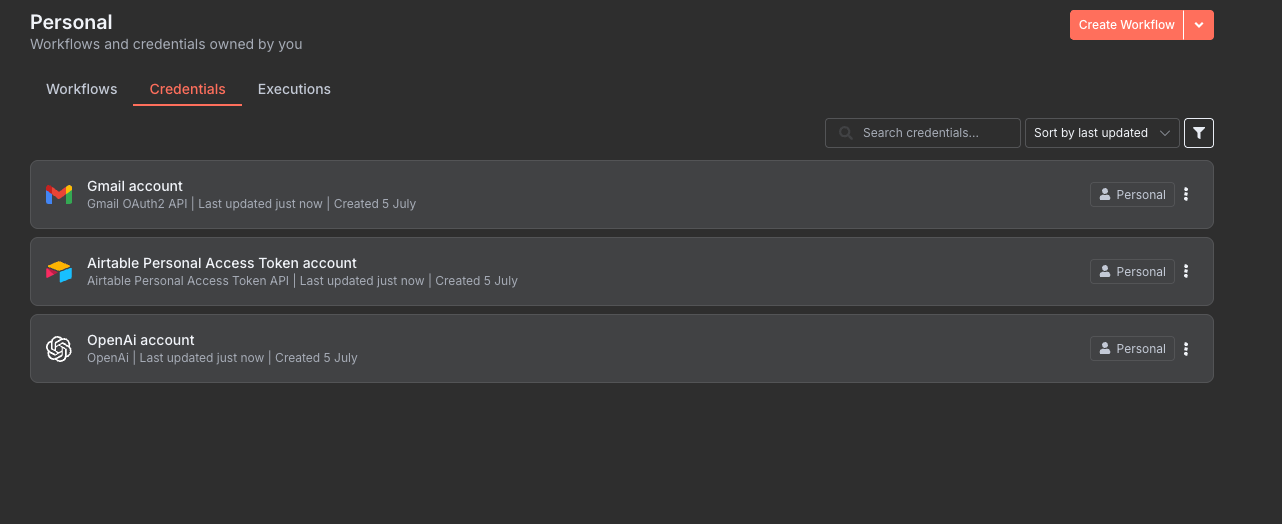
Verify the tools' connection status in the n8n credentials tab
Step 1: Design the Customer Feedback Form
Design Approach
- Use n8n “On form submission” component to capture the relevant fields
Fields to capture
- First Name — Customer First Name
- Last Name — Customer Last Name
- Email — Customer Email
- Feedback — Customer Feedback
Step 2: Configure an AI Agent to process the feedback
Design Approach
- Configure the n8n “AI Agent” component to configure the AI agent requirements [Brain, Memory and Tools]
- In this example, don’t worry about the memory to store the interactions
- Use the OpenAI LLM to analyse the feedback
- Give the system prompt considering the Role, Access to tools, Instructions, and Input
Note: Refer to the example — AI agent system prompt
You are a helpful customer feedback assistant.
Your job is to analyze customer feedback, store it in Airtable,
and optionally trigger an email if the feedback is negative.
You have access to these tools:
store_feedback(content: string, sentiment: string)
– Stores the feedback and sentiment in Airtable.send_email(subject: string, body: string)
– Sends a follow-up email.
Instructions:
-
Always call
store_feedbackfor every feedback input. -
Perform sentiment analysis (positive, neutral, negative).
-
If the sentiment is negative, call
send_emailwith an apology
and summary of the issue. -
Be concise and polite in the email tone.
Customer feedback: """ {{ $json.Feedback }} """
Step 3: Configure the tools required to store or communicate
Design Approach
- Configure the “Airtable” tool to store the customer feedback
- Configure the “Gmail” tool to send the email
Note: As per the system prompt, configure the tool names as “store_feedback” and “send_email” respectively
Wohooooooo, congratulations on understanding a simple AI agent use case :)